The Trace view area lets developers see API traces.
Ask about this Page
Copy for LLM
View as Markdown
From Trace view in the Developer area, you can use a request ID to see the trace of an API call in a graph view.
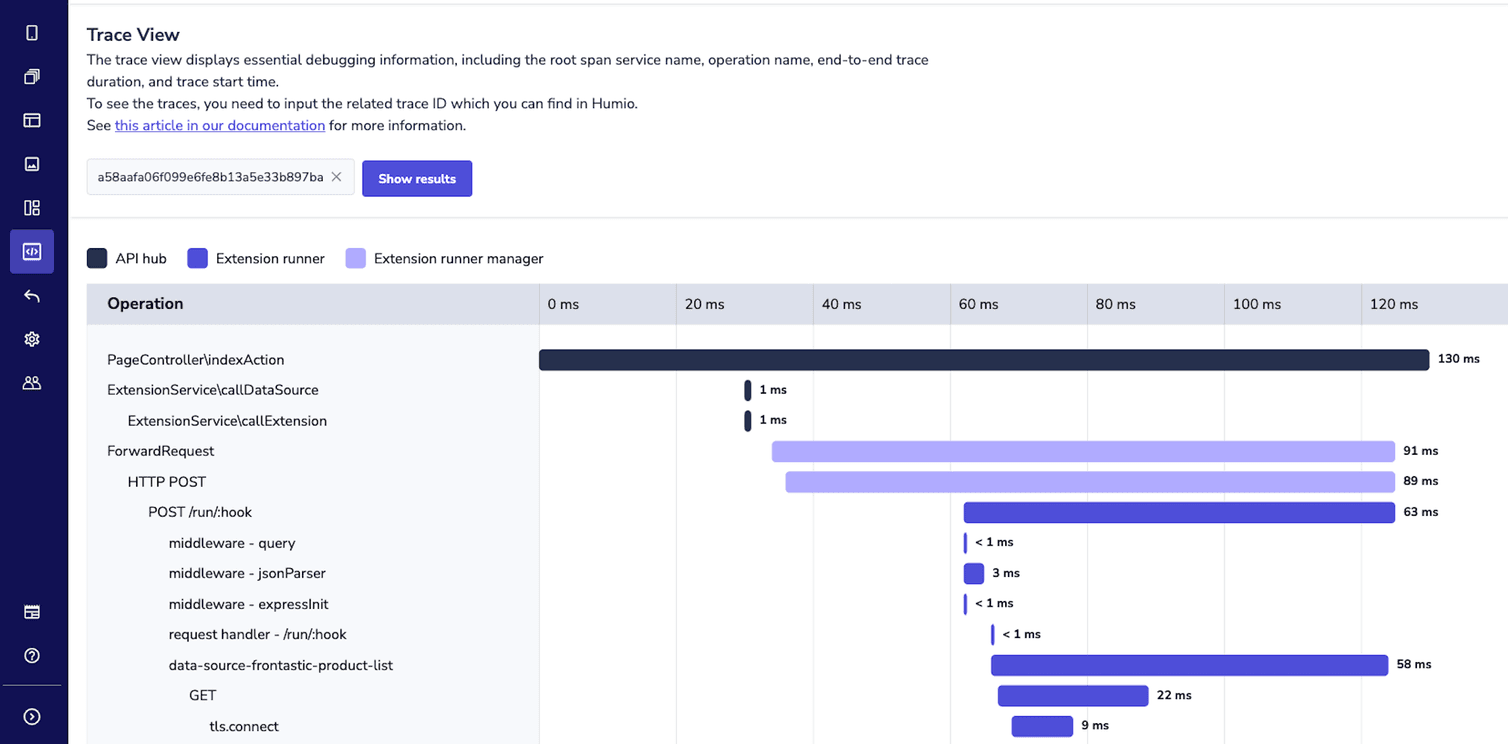
See API traces
To see API traces, follow these steps:
-
Copy the request ID of the API call. You can find the ID in one of the following places:
- Humio: From Humio, copy the
request IDof the API call. - From your browser: From either your staging or production site, open the developer console of your browser. Copy the
Frontastic-Request-Idheader. For more information about how to find this header, see Trace a request from frontend to backend
- Humio: From Humio, copy the
-
From the Studio home page or from the left menu, go to Developer > Trace view. Make sure that you are in the same environment as the site where you copied the request ID from. For example, if you copied the
Frontastic-Request-Idheader from your staging site, then you must be in the staging environment of the Studio. -
Paste the request ID into the search box, and then click Show results.